

Notifications
aYOUne speaks up when something happens that concerns someone: a document is waiting for a
signature, an employee has a birthday, someone is back from leave. Which of these occasions
actually produce a message at your company is your decision.
Where to set this
Open Notification rules. You will see a list of occasions — each entry is a rule waiting for
a particular event.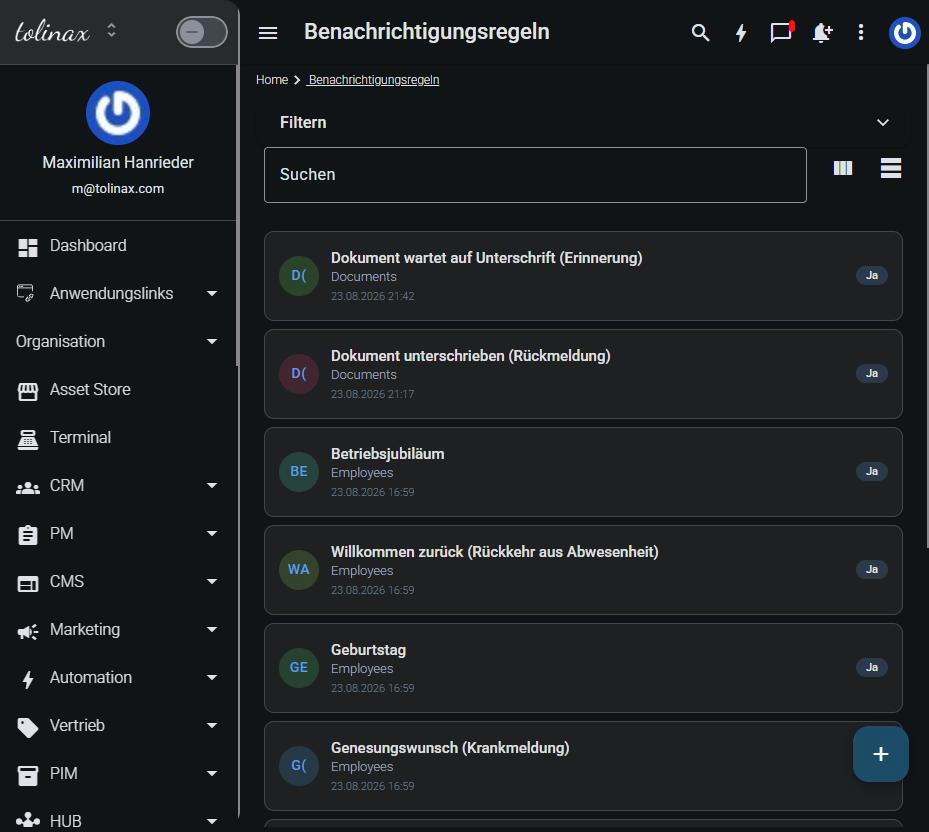
Every rule shows you three things:
- the occasion, for example Document waiting for signature (reminder)
- the area the event comes from, for example Documents or HR
- whether it is active
Adjusting a rule
Click the rule. Inside it you decide who gets notified and through which channel the
message goes out.
One occasion can have several recipients, and the same occasion can reach different people by
different routes. The manager gets an email, the team gets a message inside the application —
that is an entirely ordinary setting, not a special case.
Switching a rule off
You do not have to delete a rule to get some quiet. Set it to inactive; it is then kept and you
can switch it back on later without creating it again.
That is the better route when you only need an occasion paused for a while — company holidays
and leave notifications, for instance.
What everyone sets for themselves
Alongside the company-wide rules, every person has their own notification settings in their
profile. That is where they decide what they personally want to hear about.
This matters when someone comes to you saying they get too many or too few messages: check the
personal profile first, before you touch the company-wide rules. A change there affects
everyone.
A good starting point
Start with few active rules and switch on whatever turns out to be missing. The opposite route —
switch everything on and then weed it out — reliably ends with messages going unread and the
important ones drowning among them.