

One customer record for your whole company.
Companies and people, leads and customers in one file that sales, marketing and service work on at the same time. With a mailbox, appointments, tasks, selections and AIAIAI (Artificial Intelligence) is software that handles tasks you'd normally need a person for — writing text, answering questions, spotting patterns. In aYOUne it works right on your company data. scoring, no second system and no Excel island.
Most companies know their customers only in fragments: a few addresses in the invoicing tool, a mailbox in the mail client, notes in Excel, and the rest in one employee's head. The moment someone leaves the team or another department asks, the hunt begins.
In aYOUne every contact lives in exactly one place, with its whole history: every email, every call, every quote, every task. Because the CRMCRMCRM (Customer Relationship Management) is software for managing customer relationships — contacts, history and deals in one place. It shows who to follow up with and when. is part of the same platform as sales, marketing and accounting, everyone sees the same data, in real time.
Contacts, companies and clean data
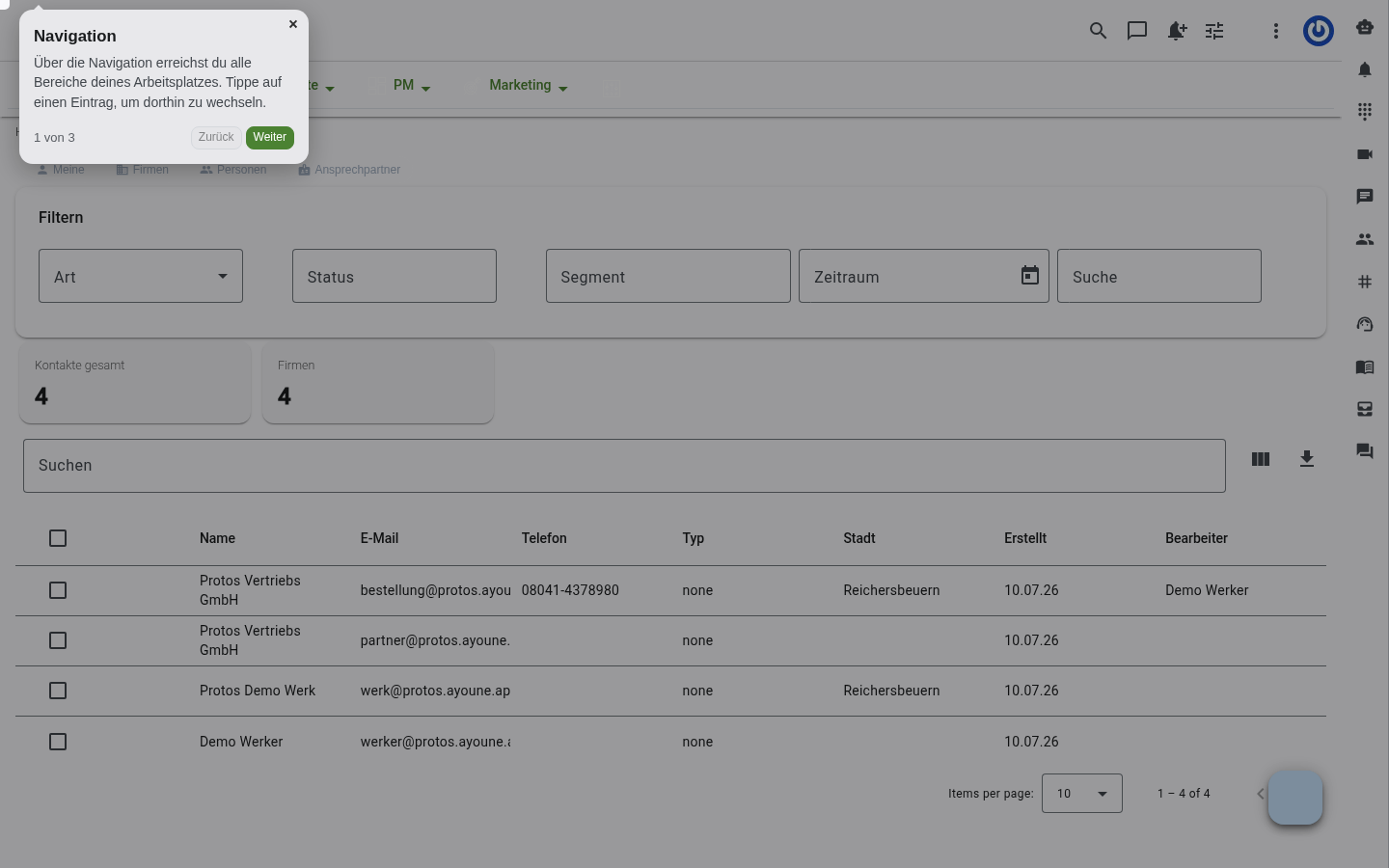
One file per contact
Leads, customers, suppliers, partners and contact persons as a person or a company, with addresses, communication, tags and rating in one place.
Lead to customer in one click
Rate, qualify and convert prospects with an action, instead of copying data into a new system by hand.
Enrich profiles automatically
Fill in missing company and contact data from public sources, including imprint matching and VAT ID checks.
Find and merge duplicates
Possible duplicate contacts are detected, shown side by side and merged into one clean record without losing anything.
Data quality at a glance
Sixteen checking strategies surface invalid addresses, missing salutations or companies without a website, and the system fixes much of it on its own.
Find customers nearby
Show contacts within a radius of a location and edit them as markers on the map, ideal for field sales and territory planning.
Communication and tasks, right on the contact
A real mailbox on the contact
Connect mailboxes over IMAP, assign emails to the right contact automatically, save attachments to the profile and turn one into a ticket when you need to.
Send email, SMS and WhatsApp
Send messages straight from the contact or start a chat, with a consent and blocklist check up front.
Appointments and online booking
Create, reschedule and confirm appointments, with automatic reminders and a booking page for your customers.
A complete call log
Calls, visits and emails are kept as activity on the contact, with direction, duration and a note.
Checklists and follow-ups
Work through tasks from templates, watch the progress and search across all your checklists.
Documents with approval
Manage files with preview, versions and comments, confirm them by signature or approval and share them with the customer in the portal.
Build audiences and automate your workflows
Selections without query know-how
Click together audiences from more than fifty criteria, from order value to campaign, and run them in the background into lists and reports.
Segments with member lists
Sort customers into segments, see members with score bars and assign a contact to a segment with an action.
Static contact lists
Bundle contacts into lists by hand, export them as CSV and reuse them per campaign or project.
Guided business workflows
Multi-step processes whose steps automatically trigger a quote, order, invoice, appointment or email, so recurring work runs the same way every time.
Bulk editing
Change, set or export fields and attributes for a whole selection in a single pass.
Events to the outside
Webhooks notify external systems automatically the moment something specific happens on a contact.
Who works with it
Sales and field service
Plan territories, work through nearby contacts and turn any record straight into a quote.
Marketing
Segments and selections feed campaigns, newsletters and consent management without exporting data.
Service and support
Requests from the mailbox become a ticket, with the full contact history and documents at hand.
What the CRM connects to
Because every area works on the same contact data, the CRM does not stop at the module boundary:
- Quotes, opportunities and orders in Sales
- Campaigns and newsletters from segments in Marketing
- Procedures, webhooks and triggers in Automation
- Reports and dashboards in Reporting
- Enrichment and chat assistants from AI & Agents
Still keeping your customers in Excel or an island CRM?
In thirty minutes we'll show you how a single customer file brings sales, marketing and service together, with a mailbox, selections and automation.
Book a demo See all modules